


NearStream VM33 2K AI Noise-Cancelling Wireless Streaming Webcam
The NearStream VM33 is a battery-powered wireless streaming camera with 10x optical zoom that goes live without a computer. Control it from the free NearStream app and stream in 1080p straight to YouTube, Facebook, Twitch or any RTMP destination over Wi-Fi or a mobile hotspot, while recording in 2K to microSD.
Key features
- 2K (1440p) recording and 1080p live streaming at 30fps
- 10x optical zoom (40x hybrid) for clear shots up to about 30 m away
- Stream over Wi-Fi, 4G/5G hotspot or Ethernet (adapter sold separately); RTMP, RTSP and NDI
- Built-in 6400mAh battery, rated up to 6 hours; USB-C charging
- 8 MEMS mics with AI noise suppression, plus 3.5mm and USB-C mic inputs
- Link up to 3 cameras with Auto-Director, overlays and scoreboard in the free app
- microSD recording with one-touch record; also works as a USB-C webcam
Please note: 2K is for recording; live streams run at 1080p. No microSD card, charger or Ethernet adapter is included.


Go live from anywhere, no computer needed
The NearStream VM33 is a battery-powered wireless streaming camera for church services, school sport, weddings, interviews and live events. Control it from your phone, stream in Full HD straight to YouTube, Facebook or Twitch, record in 2K to microSD, and zoom in from the back of the room with 10x optical zoom.
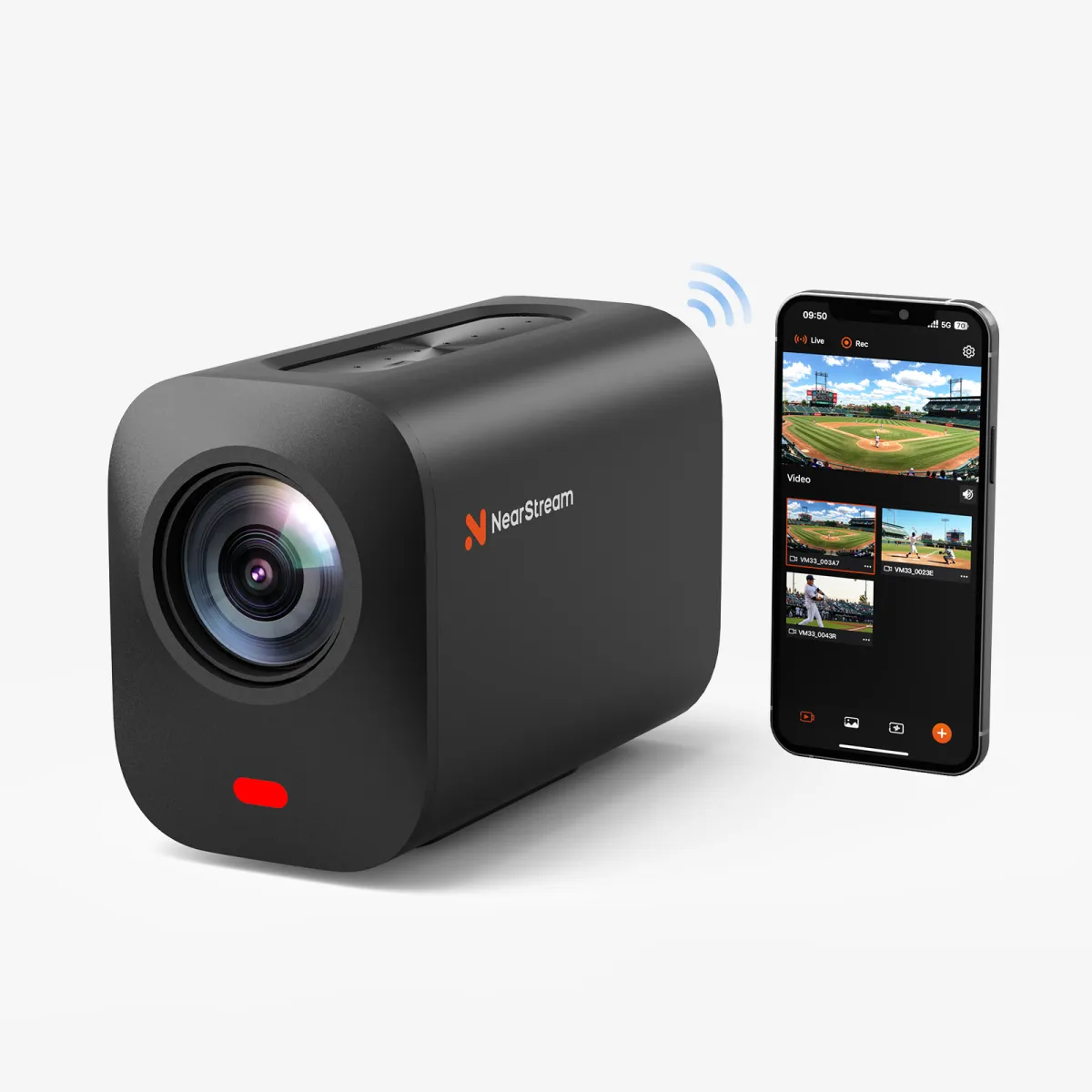
- 2Krecording, 1080p streaming
- 10xoptical zoom (40x hybrid)
- 6400mAhbuilt-in battery
- Up to 3cameras with Auto-Director
- 8 micsAI noise cancelling
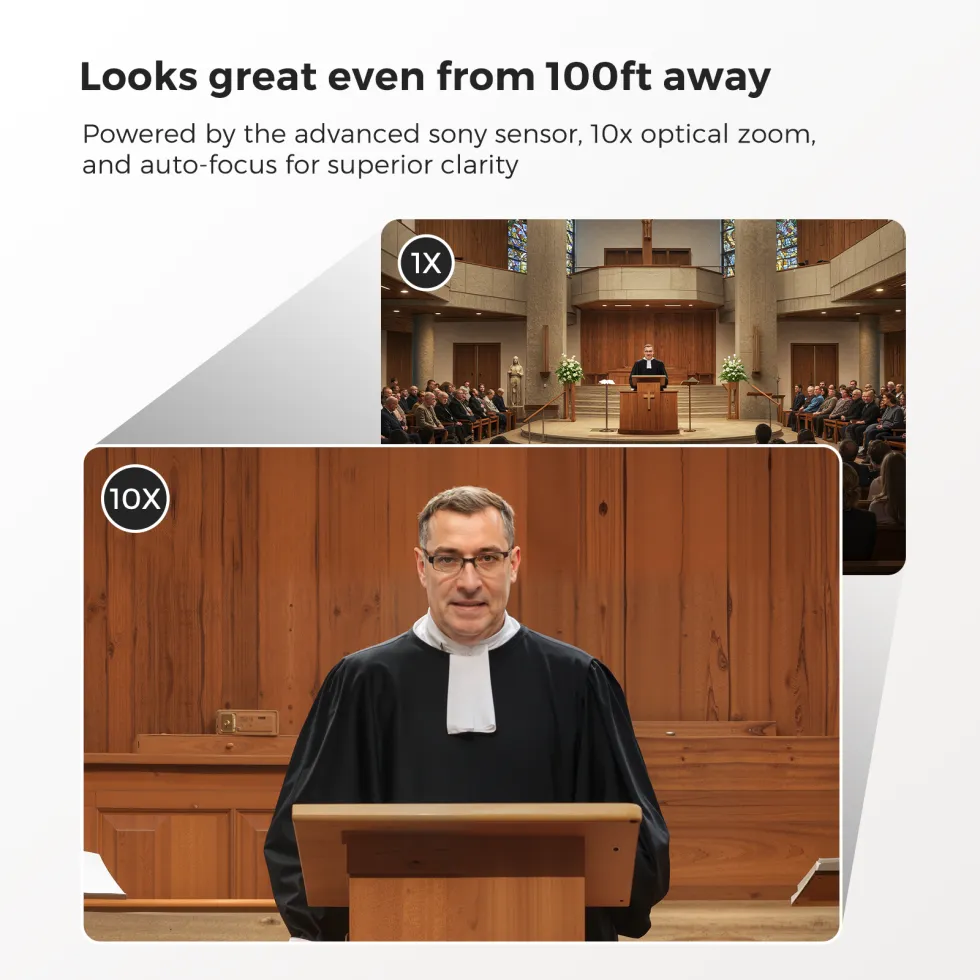
Clear shots from the back of the hall
With 10x optical zoom plus 4x digital, the VM33 keeps the pulpit, the stage or the far end of the field sharp from up to about 30 m away. Optical zoom moves the lens rather than cropping the picture, so close-ups stay crisp.
The 1/2.8" sensor, HDR and 3D noise reduction keep the picture clean from bright outdoor sport to dim indoor venues.
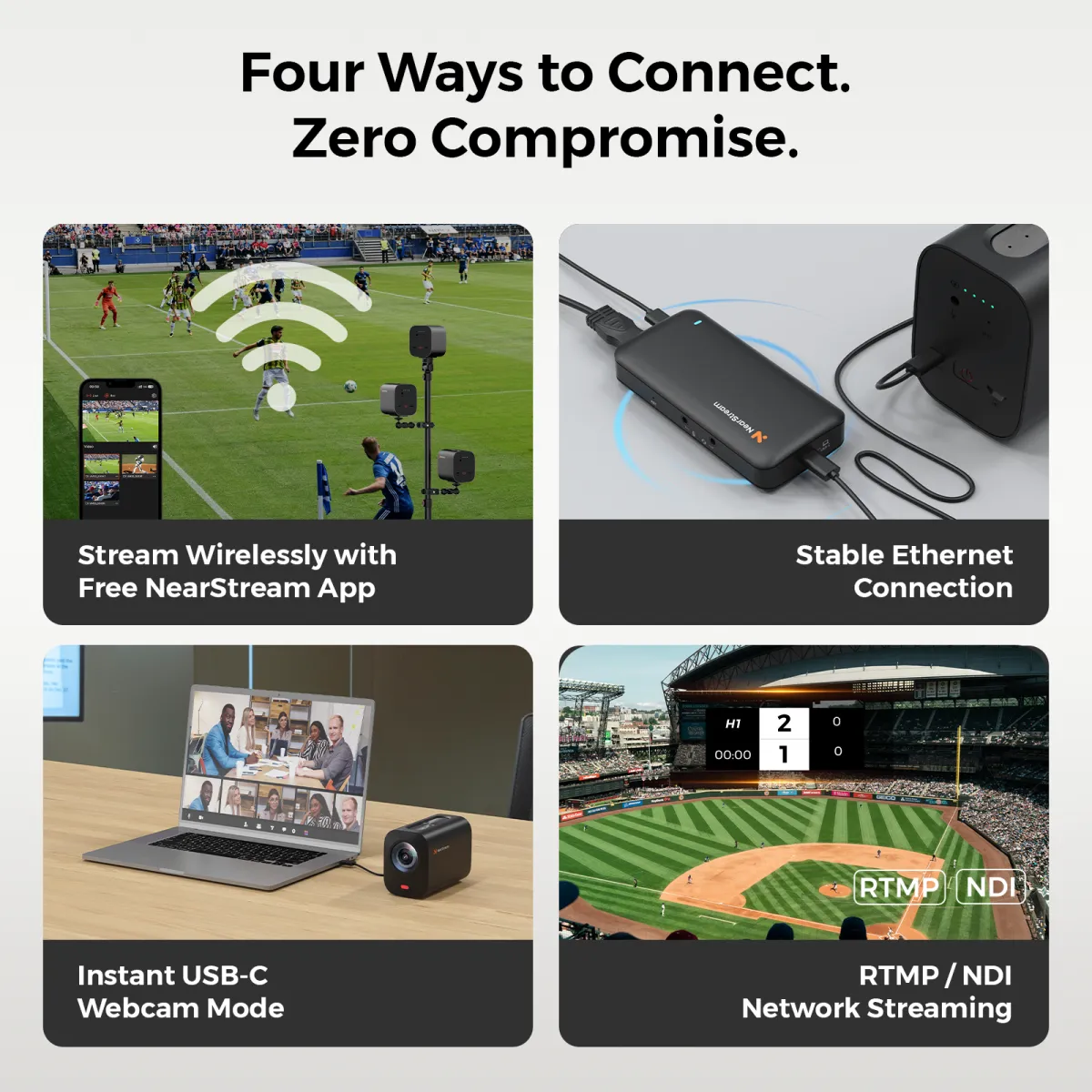
Four ways to get your stream out
Wi-Fi or hotspot
Join your venue’s Wi-Fi or a 4G/5G phone hotspot and stream straight to YouTube, Facebook, Twitch or custom RTMP from the app. The camera can also create its own hotspot for your phone.
USB-C webcam
Plug into a Windows PC or Mac and use it as a webcam in Zoom, Teams, OBS or Streamlabs.
NDI, RTSP & Ethernet
Bring it into OBS, vMix or other production software over your network with NDI or RTSP. Add a USB-C Ethernet or L30 PoE adapter for a wired connection.
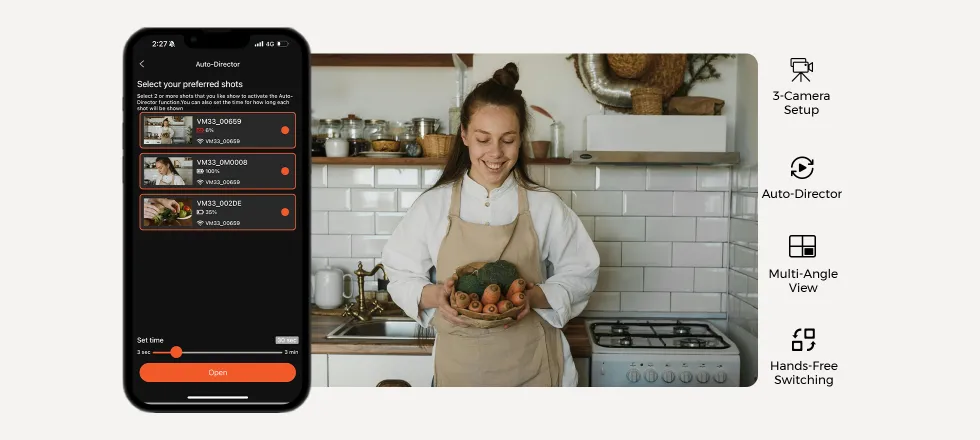
Three angles, no extra crew
Link up to three VM33 cameras in the NearStream app and let Auto-Director switch between them, or cut between angles yourself. A wide shot, a close-up of the speaker and a crowd shot make any stream look professionally produced.
Each camera can record its own angle to its microSD card at the same time, so you have clean footage to edit afterwards.
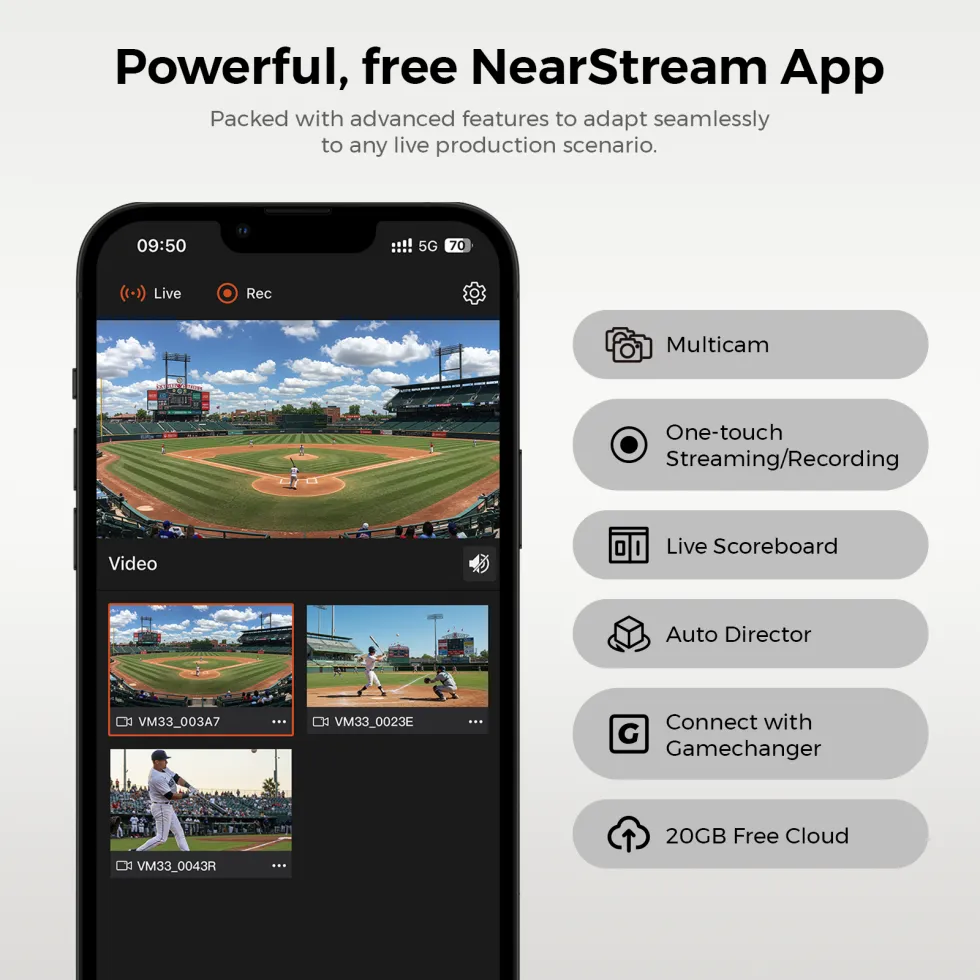
A production studio on your phone
The free iOS and Android app controls zoom and settings, and adds lower thirds, logos and full-screen graphics, picture-in-picture, background music and audio mixing. A built-in scoreboard handles scores and match timers for soccer and basketball, and the VM33 also works with the GameChanger app.
Recordings can be uploaded to NearStream Cloud and shared in one tap.
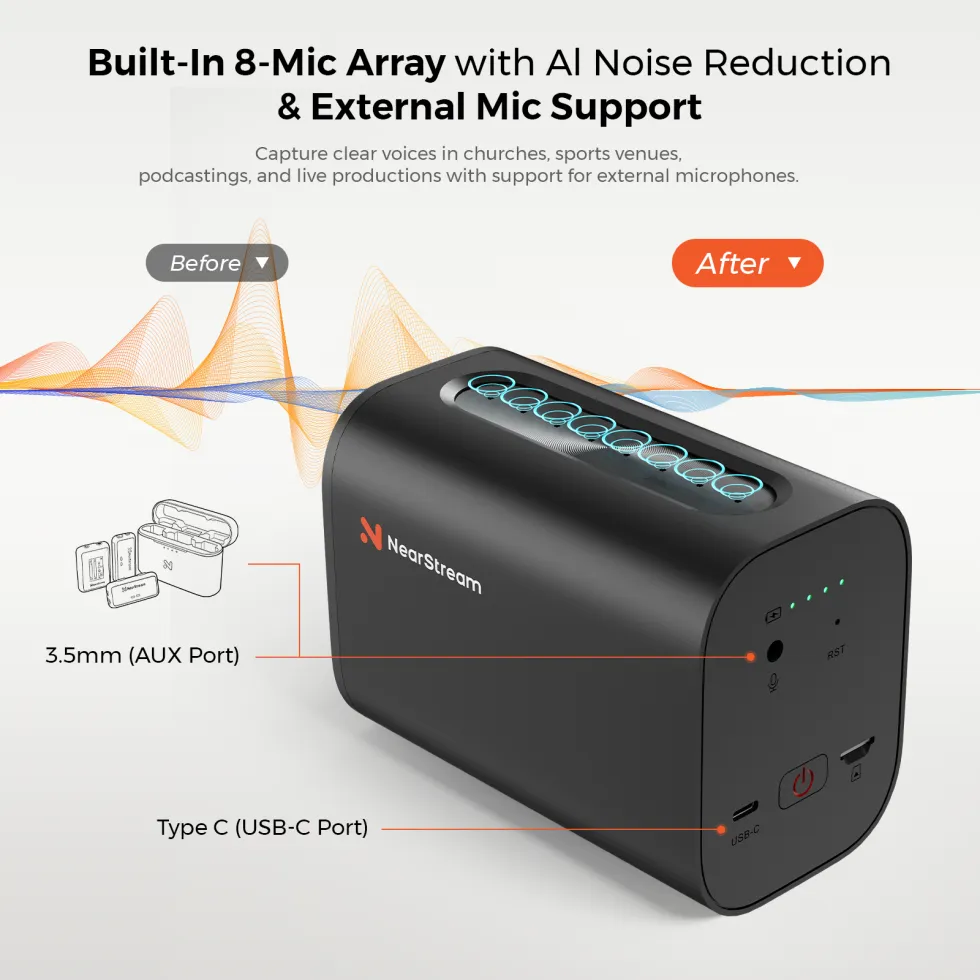
Eight mics with AI noise cancelling
Eight MEMS microphones pick up sound all around the camera, and AI noise suppression cuts background noise by up to 18 dB. For the best results, keep speakers within about 2 m.
For sermons, music or interviews, plug a wireless mic receiver or mixer into the 3.5mm input or USB-C port for studio-quality sound.
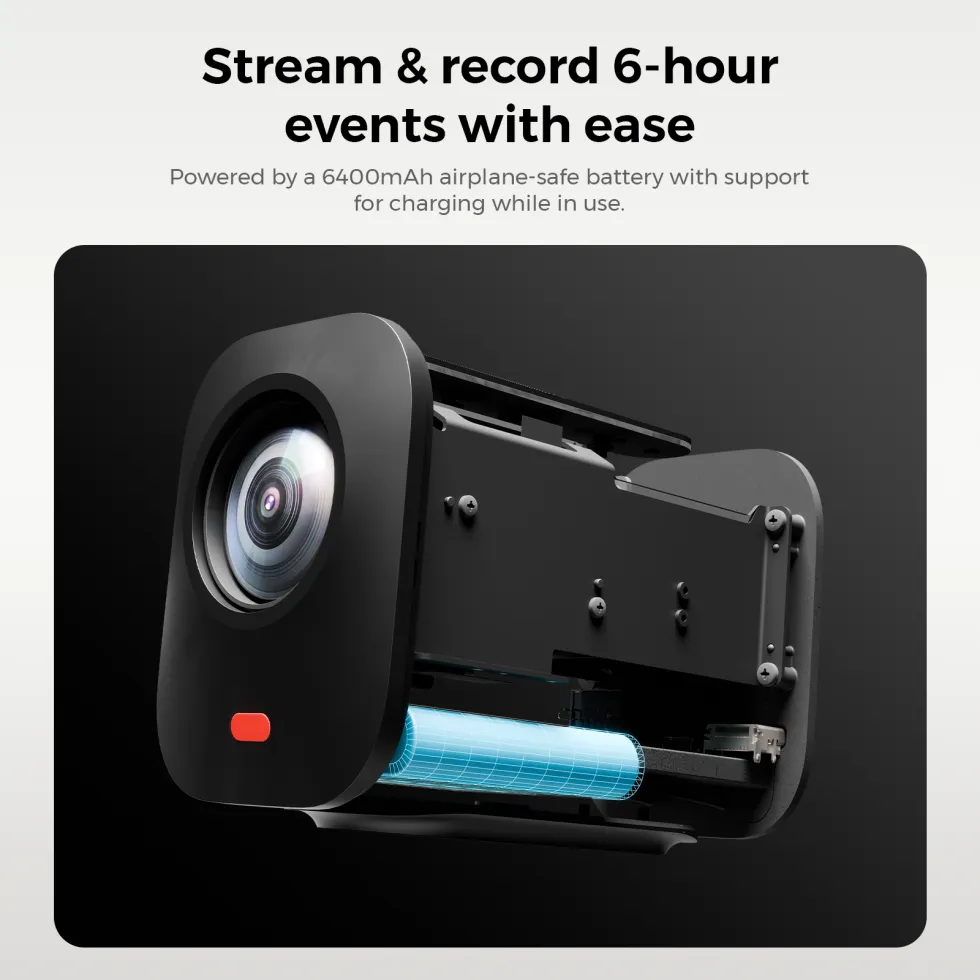
Built-in battery and one-touch recording
The 6400mAh battery is rated for up to 6 hours, so the camera can go on a tripod at the side of the field with no power cable to trip over. It charges over USB-C in about 4 hours.
Once set up, a press of the rear power button starts recording to microSD without opening the app.
Frequently asked questions
Does the NearStream VM33 need a computer to live stream?
No. Set it up in the free NearStream app on your phone or tablet and it streams straight to YouTube, Facebook, Twitch or any custom RTMP destination over Wi-Fi or a 4G/5G hotspot. A computer is only needed if you want to use it as a webcam or bring it into OBS.
Does the VM33 stream or record in 2K?
It records in 2K (1440p) to a microSD card and live streams in Full HD 1080p, both at 30fps. The microSD card is not included; use a Class 10 or faster card (V30 recommended) formatted to FAT32.
How long does the VM33 battery last?
Up to 6 hours, according to NearStream's spec sheet, from its built-in 6400mAh battery. NearStream's own FAQ quotes about 3 hours in typical use, so plan for that on long events. It charges fully in about 4 hours from a 5V/2A USB-C charger (not included).
Can I use the VM33 as a webcam or with OBS?
Yes. Plug it into a Windows PC or Mac with the included USB-C cable and it works as a webcam. Over your network you can also bring it into OBS, vMix and similar software using NDI or RTSP.
How many VM33 cameras can I use together?
Up to three in the NearStream app, where Auto-Director can switch between angles for you. NearStream says more cameras can be added on a fast network.
Can I connect an external microphone?
Yes. Plug a microphone, wireless mic receiver or mixer into the 3.5mm audio input or the USB-C port. Otherwise the built-in 8-mic array with AI noise suppression picks up sound within about 5 m, and works best within 2 m.
Can the VM33 connect over Ethernet?
Yes, with an adapter. A USB-C to Ethernet adapter gives you a wired network connection, and NearStream’s L30 PoE adapter (sold separately) adds power over the same cable for long events.
Specifications
| Model | NearStream VM33 (AW-VM33) |
|---|---|
| Image sensor | 1/2.8" CMOS, max 5MP |
| Zoom | 10x optical, 4x digital (40x hybrid) |
| Aperture / focal length | F1.85 - 2.63 / 4.34 - 35.17 mm |
| Field of view | 80° (distortion-free lens) |
| Resolution | Recording: 2K 1440p @ 30fps · Streaming: 1080p @ 30fps |
| Image processing | HDR, 3D noise reduction, anti-flicker, auto exposure and white balance |
| Microphones | 8 x MEMS, 360° omnidirectional array, about 5 m pickup |
| Audio processing | AI noise suppression (up to 18 dB), reverb suppression, beamforming, auto gain |
| Wi-Fi | 802.11a/b/g/n/ac, 2.4GHz and 5GHz; camera hotspot (AP) mode |
| Bluetooth | BLE 5.2 (setup only) |
| Protocols | RTMP, RTSP, NDI; USB webcam mode |
| Ethernet / PoE | Via USB-C Ethernet adapter; PoE via NearStream L30 (sold separately) |
| Ports | 1 x USB-C (USB 2.0), 3.5mm mic in, microSD slot |
| Storage | microSD, Class 10 or faster, up to 128GB (not included) |
| Battery | 3.7V 6400mAh, up to 6 hours; 5V/2A USB-C charging, about 4 hours |
| Operating systems | Windows, macOS, Android, iOS |
| Operating temperature | 0 - 40°C |
| Mounting | 1/4" screw hole |
| Dimensions | 136 x 72 x 98 mm |
| Weight | 650 g |
What’s in the box
- NearStream VM33 camera
- USB 2.0 Type-C data cable (with USB-A adapter)
- User manual
- Warranty card
Specifications from NearStream and subject to change without notice. Battery life varies with use. Images are for illustration. Box contents may vary by region.


 Powered By


